Our Mission
Since its inception in 1969, ACF Alarm has focused on honesty and fair treatment of all employees and customers. We are committed to developing new security products and services to protect both residential and commercial property within the community.
Read More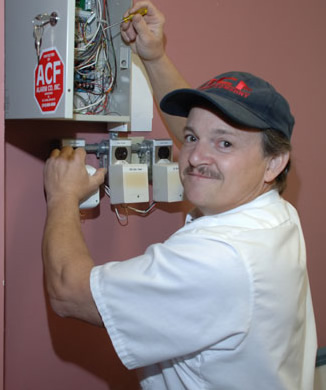
ACF Alarm strives to be recognized as the most progressive alarm company in the area. As a team, we will accomplish this by developing influential leaders that empower their peers in order to attain mutual success.
Read More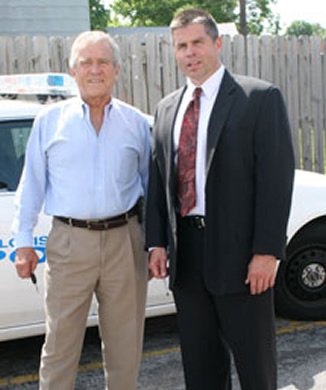
Get A Quote
ACF Alarm Co
9021 Riverview Dr # 200
St. Louis, MO 63137
OFFICE: 314-869-8500
E-mail : Sales@acfalarm.net
Office Hours: 8:00 AM – 4:00 PM Monday – Friday
24/7 UL Central Station: 314-867-1600 (alarm response only)
Burglar Alarm Systems
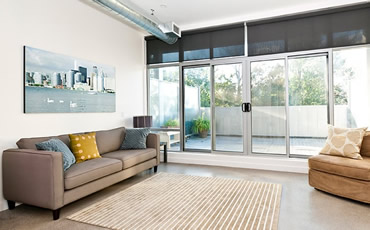
A Burglar Alarm is an intrusion protection device for your home or business. It can be monitored 24 hours a day or stand alone as a local alarm utilizing a siren. Some devices that are used when designing a burglar alarm system include: Standard door contacts, Overhead door contacts, Window contacts, Motion detectors, Glass break detectors and sirens.
01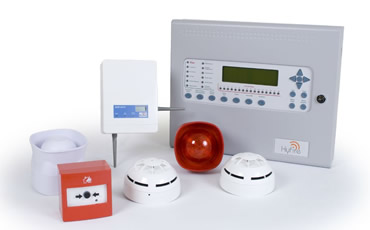
Fire Alarm Systems
A Fire Alarm is a life safety device for your home or business. It can be monitored 24 hours a day or stand alone as a local alarm utilizing sirens/horn strobes. Most fire alarm systems are monitored. Some devices that are used when designing a fire alarm system include: Smoke Detectors, Heat detectors, Pull stations, Duct detectors and Horn Strobes.
02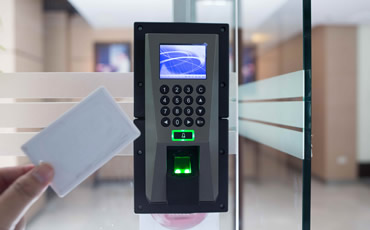
Access Control
These Systems are designed to regulate/control entry on selected doors. Commercial use of these systems are more common, our Alarm.com partners have made it affordable for our residential customers to add video door bells & locks that can open entry doors near the keypads in primary home, lake houses, or cabins. Access control systemsmay include: Keypads, Prox pads & cards, Kefobs & Biometric readers.
03
Monitoring Station
All alarm signals are received at our monitoring station; located in St. Louis near downtown. Our facility is U.L. Certified and is open 24 hours a day/365 days a year. Any of our customers can call our local monitoring station to have the systems send test signals to ensure the everything is functioning correctly. Reports can also be emailed to you regularly or upon request. Some of the reports include: Alarm reports, Trouble reports or Opening/Closing reports.
04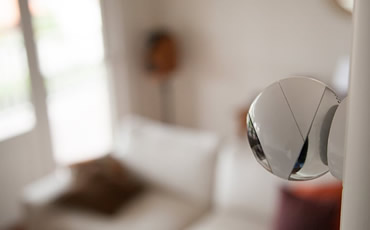
Remote Surveillance
This type of equipment records physical events surrounding your home or business. Any time, day or night, you can access a calendar data base to view video history from the past. Video Surveillance Systems can be accessed very easily from your smart phone, ipad or home/work computer. Some devices that are used when designing a video surveillance system include: NVR (Network Video Recorder), DVR (Digital Video Recorder), Fixed Lens Camera's, Veri-focal Camera's, Covert Camera's.
05
System Support
Resources
- User/Install Manuals
- Product Cut Sheets
Frequently Asked Questions
- How to reset time and date?
- How to clear a trouble signal?
- How to set my alarm with an open zone?
- How do I get my green light back?
See How We Can Help
Protect Your Home or Business
We offer a range of alarm options and can build a plan that fits your needs and your budget. Let us help make your home or business feel safe and secure.
All alarm signals are monitored at our U.L. Certified, 24/7 monitoring center located right here in St. Louis—open every hour of every day, all year long.
314-869-8500
Providing an Unmatched Level of Quality and Service
Efficient security solutions for individual and corporate clients.
Honest Pricing for Real Protection
We believe in professional service at fair, straightforward prices. Our flexible pricing lets us tailor a security plan that fits your needs and your budget.
Take your time reviewing our pricing options—everything is clear and easy to understand before you commit.
We’re also proud to offer discounts for front-line workers.
To learn more call: 314-869-8500
Consultation
Free!
- No Purchase Required
- Free Consultation
- Risk & Threat Analysis
- Plan Upgrades Available
Home & Business
Monitoring
- 24/7 Remote Online Support
- Free Phone Consultations
Home
Business
Military, Police,
1st Responder
We proudly offer discounts to those who serve our country and communities. It is our way of saying "Thanks You" for your service.
Learn More






640
Monthly Installs
15
Awards Won
24
Partners
15
Monthly Repairs
Professional Alarm Systems Specialists
Since day one, we’ve built a team of dedicated security professionals who take pride in protecting homes and businesses.

John Mueller

Lonnie Weishaar

Donna Sailor

Service Team
How to clear a trouble signal
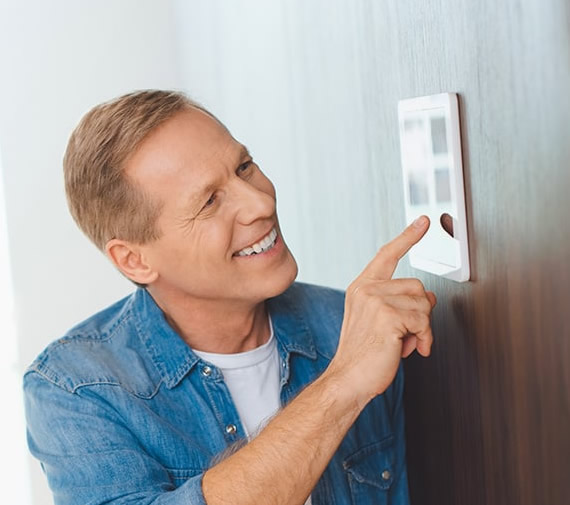
At the keypad, enter [*] [2] The yellow “Trouble” Light will flash, and a number 1 through 8 will appear on the keypad.
Light 1 - Press key 1 for more details, if number 1 light stays on the main battery backup needs replacing. If number 2 thru 8 comes on call for service.
Light 2 - Power Off to alarm panel, (power off, breaker off, transformer bad or unplugged).
Light 3 - Telephone Line Trouble, no phone line working on the alarm system phone jack.
Light 4 - Failure to Communicate, on the last alarm the system could not make a call to the monitoring station, (this will only clear off after a successful alarm communication to the monitoring station).
Light 5 - Zone Fault, press key 5 for more details, the zone light with fault will come on. A wireless device has not checked in, smoke det. missing, etc.
Light 6 - Zone Tamper, press key 6 for more details, the zone with the tamper condition will come on. A wireless device has a cover not on, check the device cover.
Light 7 - Wireless Device Low Battery, press key 7 for more details, the zone/s with a bad battery will come on, replace the zone device battery, then open door/window should clear this trouble. If no zone light comes on after
pressing key 7, then it is a wireless four button remote keyfob that needs new batteries (usually 2, 2025 batteries). Should you have 2 or 3 remotes it would be wise to just change the batteries in all of them.
Light 8 - Loss of Time/Date - Step 1 – At your keypad, enter time/date programming by pressing [*][6] + [Master Code] + [1] Step 2 – Enter [HH:MM] [MM/DD/YY] Step 3 – Press [#] to exit Note: Program the time using military standard
(e.g. 8:00 pm = 20:00 hours)
How do I “Bypass” a Zone?
Step 1 - At your keypad, press [*] [1] then your 4 digit access code.
Step 2 - Enter the two-digit number of the zone(s) to be bypassed (01-64), then press [#] twice to exit.
How to get a green light back
The most common reason a “Green” Light would not appear on your keypad is because a door or a window is left open. Check all doors and windows, or hit the left or right arrow key on your keypad to see which zone is open. If all doors and windows are closed, and you cannot get a “Green Light,” call ACF Alarm for Service.
How to set the time and date
Step 1 – At your keypad, enter time/date programming by pressing [*][6] + [Master Code] + [1]
Step 2 – Enter [HH:MM] [MM/DD/YY]
Step 3 – Press [#] to exit Note: Program the time using military standard (e.g. 8:00 pm = 20:00 hours)